
Access Quest Navigation
Navigate. Plan. Get involved.
Explore accessibility information and plan journeys around your own access requirements.
Find Access Quest Navigation on your phone


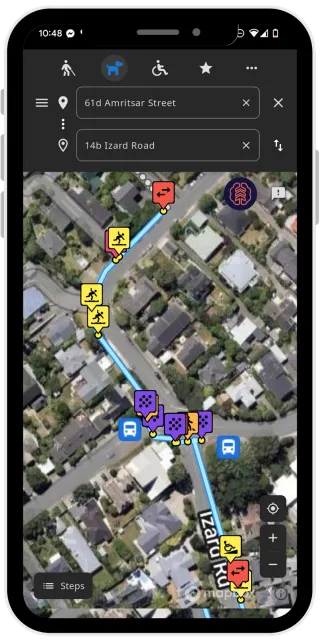
Inside the app
See the details before you go.
Choose an access profile, explore features and review the steps along a route. These screenshots show the interface in use; some screens display the earlier Smart Access name.
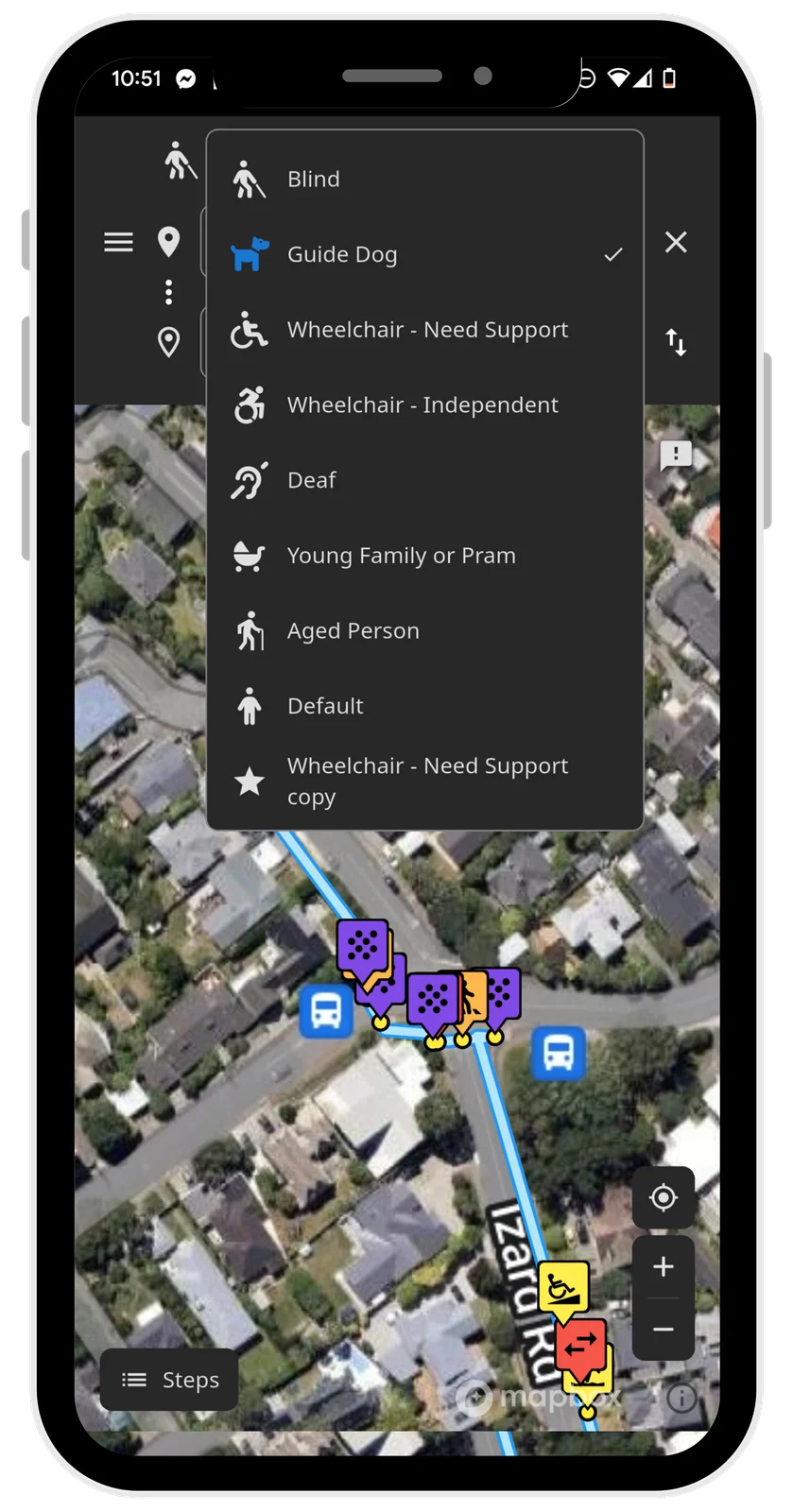
Choose an access profile
Start with the profile that best reflects your access requirements.
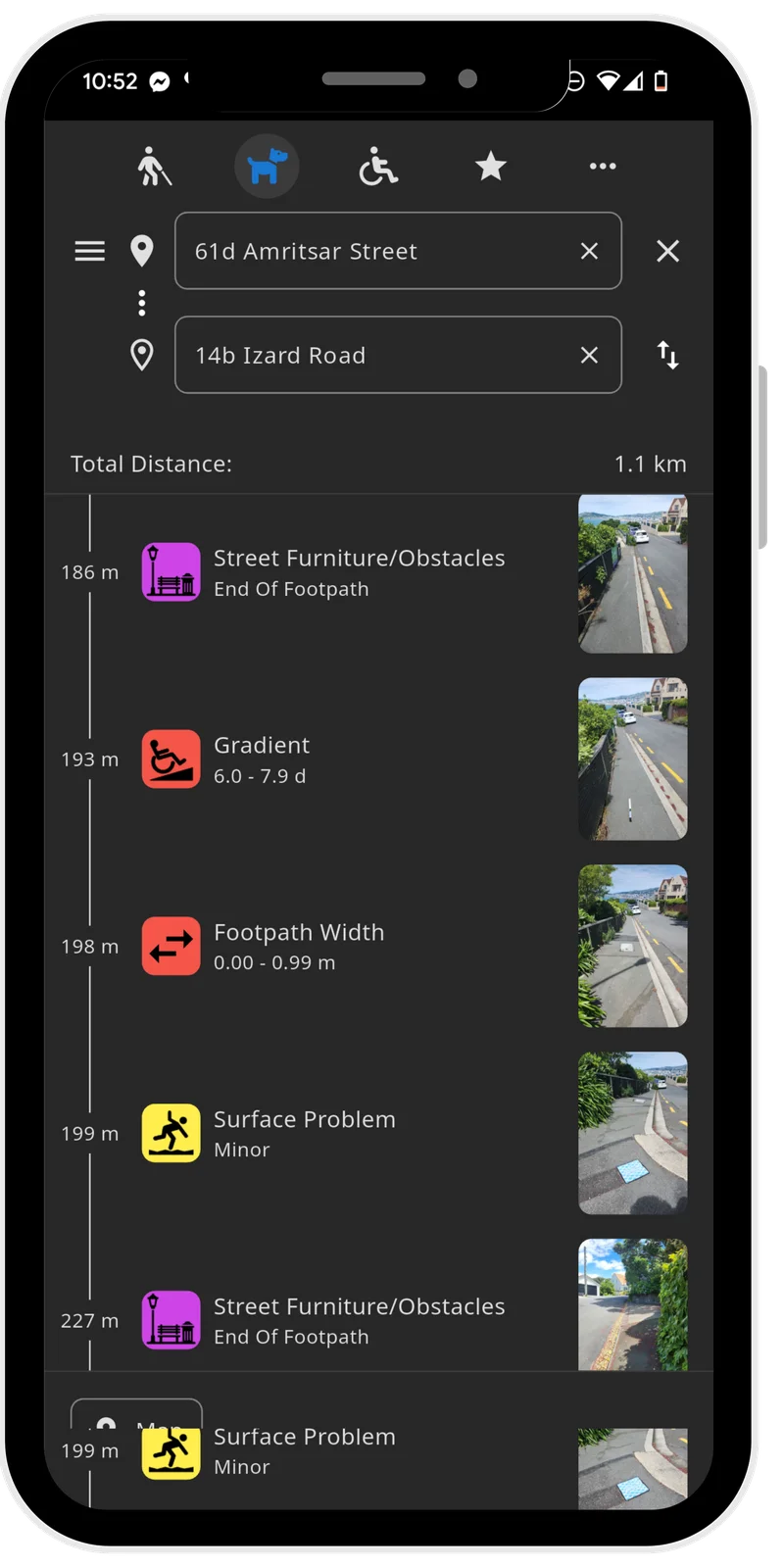
Review route steps
Look through the route’s feature photos and measurements before setting out.
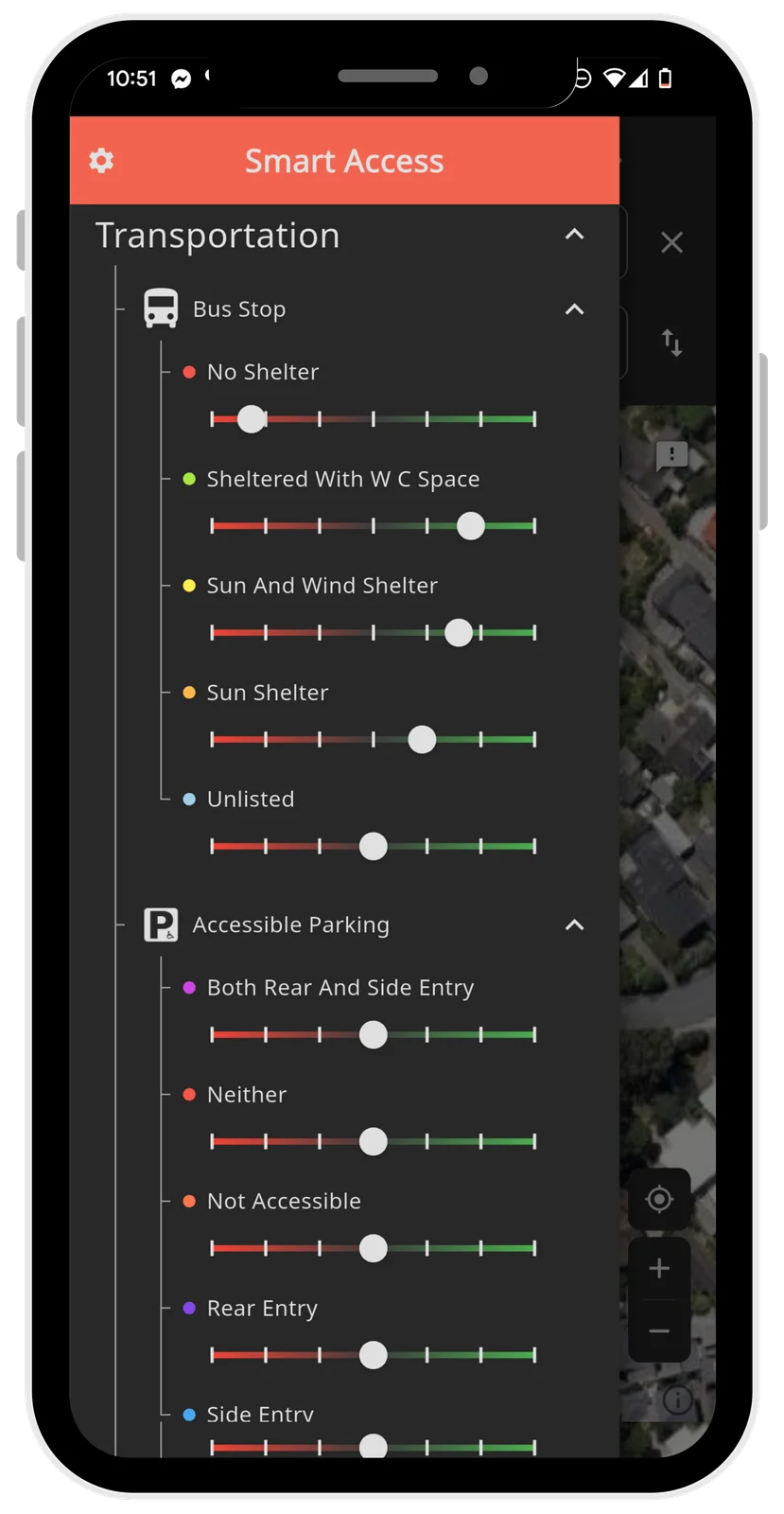
Explore feature filters
Adjust which features you see, including bus-stop shelter and accessible parking.
Three ways to take part
- Explore your next journey. Look at the accessibility information available for the routes and places you want to reach. Different people need different details to decide whether a journey is suitable.
- Plan before you go. Consider route information and relevant amenities alongside your own access requirements and current conditions. A mapped route is not a guarantee that it will suit every journey.
- Help build the picture. Community observations and professional collection contribute to understanding a place. Ask the team about equipment, collection tools and guidance for your community.
Details that make a difference
Footpath collection can include gradients, crossfall, surface conditions, kerb ramps, crossings and barriers within an agreed scope. The available information depends on what has been collected and reviewed for that place.
- Gradient
- Crossfall
- Surface condition
- Kerb ramps
- Crossings
- Barriers
Become a mapper
Explore the Access Cart or talk to the team about mapping the routes you know. Equipment availability and collection arrangements are discussed directly with the team.